How to Find a Seller on eBay: Best Ways (Desktop + App)

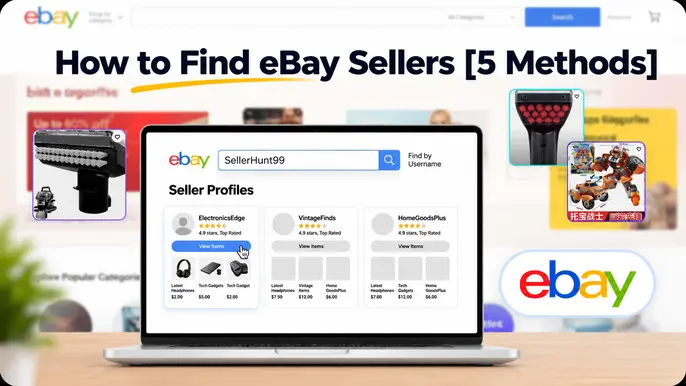
The fastest way to find a seller on eBay is typing ebay.com/usr/USERNAME directly into your browser. If you don't know the username, click any listing's seller name, use Advanced Search's "By seller" filter, check My eBay's purchase history, or search Google for the store name plus "site:ebay.com."
Key Takeaways
- The fastest way to find a seller on eBay is typing ebay.com/usr/USERNAME directly into your browser — no login, search bar, or app required.
- eBay's main search bar is built for item keywords, not usernames, which is why typing a seller's name into it usually returns unrelated listings instead of their profile.
- Contrarian insight most guides skip: a seller's headline feedback score is cumulative and can hide a recent decline — for a $400+ purchase, check the trailing-12-month Detailed Seller Ratings and look for individual feedback comments tagged "Past 6 months," not just the overall percentage.
- Not every seller has a paid eBay Store, so ebay.com/str/username only works for sellers with an active Store subscription — ebay.com/usr/username works for any registered seller, store or not.
- The eBay app doesn't have a reliable built-in username search — opening eBay in your phone's mobile browser and using the same URL trick is usually faster and more consistent than searching inside the app itself.
- My eBay's purchase history only covers the last 3 years, according to eBay's own help documentation — for older orders, an email confirmation or card statement is the reliable fallback.
- Checking a competitor's inventory is completely legitimate, since seller profiles and store listings are public by design — Advanced Search's "By seller" filter is the fastest way to see everything a specific competitor currently has listed.
- What's the Fastest Way to Find a Seller on eBay?
- Why Can't You Just Type a Seller's Name Into eBay's Main Search Bar?
- 5 Ways to Find a Seller on eBay (Desktop + App)
- eBay Seller Search Methods Compared
- How Do You Check If an eBay Seller Is Legit Before a Big Purchase?
- How Do You Find a Seller You Bought From Before?
- How Do You Check a Competitor's Inventory on eBay?
- What's the Difference Between an eBay Seller Profile and an eBay Store?
- Frequently Asked Questions
The fastest way to find a seller on eBay is to type ebay.com/usr/USERNAME directly into your browser, replacing USERNAME with the seller's exact eBay username. That single URL opens their profile, feedback history, and a link to everything they currently have listed — no login, no app, no digging through search results.
I've used this trick more times than I can count, and it works whether you're vetting a seller before a $400 purchase, tracking down a favorite vintage shop you bought from once, or checking a competitor's inventory as a reseller. What trips people up isn't the concept — it's that eBay never puts a "find a seller" button anywhere obvious, so most buyers assume the main search bar should do this job. It doesn't, and understanding why changes how you approach the whole problem.
This guide covers every reliable way to search for a seller on eBay in 2026, on both desktop and the app, plus three details most comparison guides skip entirely: a technical gap between two nearly-identical seller URLs, a blind spot in how feedback scores actually work, and a real limitation in the eBay app that has a simple workaround.
Why Can't You Just Type a Seller's Name Into eBay's Main Search Bar?
eBay's main search bar is built to match item titles and keywords, not usernames, so typing a seller's name into it usually returns unrelated listings instead of their profile. eBay's search engine ranks results the same way you'd expect from a product catalog — it's optimized around keyword relevance for listing titles, not a people-search directory.
Two things make this worse. First, a seller's username rarely appears inside their own listing titles, so a keyword match almost never happens by accident. Second, Promoted Listings push paid placements above organic results for almost any query, which buries what little relevant result might exist even further down the page.
eBay used to have a dedicated "Find a Member" tool in its main navigation years ago. That's gone now — the functionality still exists, but it's scattered across a direct URL trick, Advanced Search, and your own purchase history instead of living in one obvious place. That's the actual reason this topic needs a guide at all.
Spending More Time Researching Sellers Than Actually Selling?
TechEcomm's eBay dropshipping automation service handles supplier vetting, listing creation, and day-to-day operations — so you're not the one manually tracking down sellers and competitors.
5 Ways to Find a Seller on eBay (Desktop + App)
There are five reliable ways to find a seller on eBay: the direct profile URL, clicking through from a listing, Advanced Search's "By seller" filter, the eBay app's search bar, and your own purchase history when you don't remember the username. Every method below is free and works on a public eBay profile without a subscription.
1. Direct Profile URL — the Fastest Method
- Open your browser and type ebay.com/usr/ followed by the seller's exact username (it's case-insensitive but must match exactly)
- Hit enter — eBay redirects you straight to that seller's profile page with their feedback score, member-since date, and location
- Click "See all items for sale" or a similar link on that page to view their full active inventory
There's a second, nearly identical URL pattern floating around: ebay.com/str/STORENAME. That one only works if the seller has an active, paid eBay Store subscription — according to eBay's own seller community, a Store URL "requires a paid subscription," and sellers without one have no /str/ page at all. The /usr/ pattern works for every registered eBay account, store or not, which makes it the safer default whenever you're not sure if a seller has upgraded to a Store.
✓ Works Best When
- You already know the exact username, spelled correctly
- You want the fastest possible path — no clicks, no search results
- You're not sure whether the seller has a Store subscription
✕ Won't Work When
- You don't know the username at all — skip to Method 5
- The seller changed their username since you last interacted with them
- You typed the username with a typo — eBay won't suggest a correction
2. Click Through From a Listing
- Open any active listing from the seller you're trying to find
- Scroll to the "Seller information" box — on the right side on desktop, just below the title on mobile
- Click their username, shown as a bold blue link — this opens the exact same profile page as Method 1
- From their profile, click "See other items" to browse everything else they currently have listed
This is my default method when I've stumbled onto one good listing and want to know if there's more where that came from. It's genuinely one of the most useful moves in reselling on eBay — find one great vintage tee or one accurately-priced camera lens, click through to the seller, and you'll often discover 30-plus similar items you'd have never found through a normal keyword search, sometimes with combined-shipping discounts on top.
✓ Works Best When
- You're already viewing a listing from the seller
- You want to explore their full category depth, not just one item
- You're on the app, where the URL trick is less convenient
✕ Won't Work When
- You don't have a listing from them to start from
- The specific listing you found has since ended or been removed
3. Advanced Search "By Seller"
- Click "Advanced" next to the main search bar on any eBay page, or go directly to ebay.com/sch/ebayadvsearch
- Scroll to the "By seller" or "Sellers" section — the exact label varies slightly by region and layout, but it's always below the keyword and category fields
- Enter the seller's username in the field for specific sellers, and choose whether to include or exclude their listings
- Optionally add a keyword — for example, "Canon" plus a seller's username returns only that seller's Canon-related listings
- Click Search to see only that seller's matching inventory
This is the one method that lets you combine a seller filter with an actual keyword, which the other four methods can't do. If you're trying to find out whether a specific competitor stocks a specific product — rather than browsing their entire catalog — this is the tool for that exact job. You can also save the search under My eBay's Saved Searches and get an alert whenever that seller lists something new that matches your keyword.
✓ Works Best When
- You want to search inside a known seller's inventory for something specific
- You want to exclude one seller's listings from a broader search
- You want ongoing alerts when that seller lists something new
✕ Won't Work When
- You don't already know the seller's username — this filters, it doesn't discover
- You're on the eBay app, which doesn't expose the full Advanced Search interface
4. Search for a Seller in the eBay App
- Open the eBay app and tap the search bar at the top
- Type the seller's exact username and tap search
- Check the autocomplete dropdown and results tabs — if the seller has an active store, a "Shop" or "Stores" suggestion sometimes appears above the item results
- Tap that suggestion if it appears, which opens their store page directly inside the app
When the app's search comes up empty, don't keep fighting it. Switch to your phone's regular browser — Chrome or Safari, not the eBay app — and use the exact same ebay.com/usr/USERNAME trick from Method 1. The mobile browser experience is more consistent for seller lookups than the app's internal search logic, and most phones will offer to open the result back in the app once you've found the right profile.
✓ Works Best When
- You want to stay inside the app for a quick, casual lookup
- The seller runs an active eBay Store, which improves the odds of a match
✕ Won't Work When
- The seller doesn't have a Store — autocomplete rarely surfaces them
- You need Advanced Search-level filtering — not available in-app
- You need a reliable result every time, not just sometimes
5. When You Don't Know the Username
- Check My eBay → Purchase History if you've bought from the seller before — every past order lists the seller's display name and links directly to their profile
- Check My eBay → Saved → Saved Sellers if you clicked "Save this seller" on a past visit — this list is sorted by most recently active
- Search Google for the store's name plus site:ebay.com if you only remember a shop name, not a username — this often surfaces the exact profile URL directly in the results
Purchase history only goes back so far. eBay's own help documentation confirms purchase history covers orders from the last 3 years — beyond that window, the order simply won't appear in My eBay anymore. For anything older, your fallback is an old order-confirmation email, or searching your PayPal or credit card statement for the eBay charge and matching the date to your memory of the purchase.
✓ Works Best When
- You bought from the seller within the last 3 years
- You previously saved or followed the seller
- You remember a store name but not the exact username
✕ Won't Work When
- The purchase happened more than 3 years ago and you never saved the seller
- You bought as a guest, on a different account, or the order was canceled
- The seller has since closed their account entirely
eBay Seller Search Methods Compared
Here's how all five methods stack up at a glance — use this table to pick the right one for your exact situation before reading further.
| Method | Best For | Works On | Login Required | Speed |
|---|---|---|---|---|
| Direct Profile URL | You know the exact username | Desktop + mobile browser | No | Instant |
| Click Through a Listing | Found one item, want the rest | Desktop + App | No | Instant |
| Advanced Search "By Seller" | Searching a seller's inventory for something specific | Full desktop, limited App | No | ~10 sec |
| eBay App Search | Quick lookup while in the app | App only | No | Inconsistent |
| Purchase History / Saved Sellers | You bought from them before | Desktop + App | Yes | ~30 sec |
Vetting Suppliers Manually Takes Real Time
TechEcomm's eBay automation service handles supplier and competitor research directly, backed by an established process — so your team isn't the one running these lookups one seller at a time.
How Do You Check If an eBay Seller Is Legit Before a Big Purchase?
To check if an eBay seller is legit before a big purchase, look past their headline feedback percentage and check the trailing-12-month Detailed Seller Ratings, the Top Rated Seller badge, and recent individual feedback comments — not just the overall score. This is the single biggest gap I see in how most buyers vet a seller, and it matters most exactly when the stakes are highest.
A seller's headline feedback score is cumulative across their entire selling history, which means it can mask a real, recent decline in quality. A seller with 99.2% positive feedback built over 15,000 transactions and 10 years looks nearly identical to a seller who's been excellent for years but has had a genuinely rough last few months — new ownership, a supplier problem, a shipping carrier issue. The overall percentage barely moves either way. For a purchase where the stakes are real, check the seller's Detailed Seller Ratings, which eBay calculates specifically on a trailing-12-month basis across four categories: item description accuracy, communication, shipping speed, and shipping cost. Then scroll their feedback comments and look for the ones tagged "Past 6 months" — that's your actual recency signal, not the number under their username.
- Check the Top Rated Seller badge. To earn it, a seller generally needs at least 100 transactions and $1,000 in sales over the trailing 12 months, a 98%+ positive feedback rating, a defect rate under 0.5%, and a late-shipment rate under 3%. It's a meaningful signal precisely because it's re-evaluated monthly, not awarded once and kept forever.
- Read a few recent written comments, not just the star count. Look for specifics — accurate condition descriptions, genuine feedback comments mention real details about packaging or communication, not generic one-word praise, which can be a sign of pattern-following rather than authentic experience.
- Don't automatically disqualify a seller over a couple of negatives. Sellers can respond publicly to feedback, and in some cases have certain negative feedback removed if it violates eBay's policies — a handful of negatives among thousands of positives, especially older ones, is a different signal than a recent cluster.
- Check shipping speed specifically for time-sensitive purchases. The "Shipping speed" detailed rating reflects how consistently a seller meets eBay's handling-time requirements — worth a specific look if you need the item by a certain date.
- For high-value collectibles, sneakers, watches, or trading cards, check whether the category falls under eBay's Authenticity Guarantee program, which adds third-party verification before the item reaches you — a meaningfully different layer of protection than feedback alone provides.
How Do You Find a Seller You Bought From Before?
To find a seller you bought from before, go to My eBay → Purchase History, which lists every order from the last 3 years along with the seller's name and a direct link to their profile. This is almost always faster than trying to reconstruct their username from memory.
If the purchase happened recently and you clicked "Save this seller" at the time — worth doing as a habit for shops you'd buy from again — check My eBay → Saved → Saved Sellers instead. That list is sorted by most recently active, so a seller who's still listing regularly will surface near the top even if you can't remember exactly when you bought from them.
If the order falls outside that 3-year purchase-history window, don't assume the seller is unfindable. Search your email inbox for the original order-confirmation message — eBay always includes the seller's username in that email — or check your PayPal or card statement for the transaction date, then cross-reference it against what you remember buying.
How Do You Check a Competitor's Inventory on eBay?
Checking a competitor's inventory on eBay is completely legitimate and free — use Advanced Search's "By seller" filter or visit their profile directly to see their full active listing catalog, current pricing, and photo style. Seller profiles and store listings are public by design; there's no gray area here.
For resellers, this kind of seller research answers questions a single listing never will: how deep is their catalog in a specific category, how do they price relative to the market, how often do they list new inventory, and what does their photography and description style actually look like at scale. This is standard due diligence, not anything adjacent to scraping or account misuse.
- Pull their full active catalog via their profile page or Advanced Search filtered to just their username.
- Check recent sold prices for their category using Terapeak, which shows historical sell-through and pricing data beyond what's visible on an active listing.
- Look at their listing cadence over a few weeks by revisiting their store — a seller adding new inventory daily signals a different operation than one that lists in occasional batches.
- If you're researching where their inventory likely comes from, cross-reference against known eBay dropshipping suppliers in the same category — matching product photos and descriptions across multiple sellers is a common tell.
- For ongoing, structured competitor tracking rather than a one-time check, dedicated eBay product research tools and eBay listing tools go further than a manual profile visit, tracking pricing and inventory changes over time automatically.
What's the Difference Between an eBay Seller Profile and an eBay Store?
Every registered eBay seller has a free profile page, but only sellers with a paid Store subscription have a dedicated Store with its own URL, custom categories, and branded storefront. This distinction is exactly why the two lookup URLs from Method 1 aren't interchangeable.
A profile page (ebay.com/usr/username) shows feedback history, member-since date, and a basic list of active items — every seller has one automatically. A Store (ebay.com/str/storename) adds a branded landing page, custom navigation categories the seller sets up themselves, and — on the seller's side — access to Seller Hub, eBay's dashboard for managing listings, promotions, and performance metrics at scale. A casual or low-volume seller often skips a Store entirely and simply sells from their free profile.
One more detail worth knowing if a link stops working: Store URLs can't be changed once set, even if the seller renames their Store later — according to eBay's own seller community, the only way to get a new Store URL is to close the Store and reopen a new one. If an old bookmarked /str/ link suddenly 404s, that's usually why, and the /usr/ profile URL is the more durable fallback to bookmark instead.
Ready to Run an eBay Store Without the Manual Research?
TechEcomm's eBay dropshipping automation service handles supplier vetting, listing creation, and ongoing store management directly — so lookups like these become someone else's job.
Frequently Asked Questions About Finding a Seller on eBay
You Don't Need a Special Tool to Find a Seller on eBay
Every method in this guide is free and built directly into eBay — the direct profile URL, clicking through a listing, Advanced Search's seller filter, and your own purchase history cover essentially every situation, from vetting a stranger before a $400 purchase to tracking down a shop you bought from once years ago.
The details that actually matter aren't which button to click — they're the ones most guides skip: that a Store URL requires a paid subscription while a profile URL doesn't, that a cumulative feedback score can hide a recent decline, and that the eBay app's search is genuinely less reliable than just opening your phone's browser. Keep those three in mind and you'll rarely get stuck.
If you're doing this kind of seller and supplier research regularly as part of running your own eBay store, TechEcomm's eBay dropshipping automation service handles supplier vetting, listing management, and ongoing operations directly, so this research becomes a background process instead of a manual task on your plate.
Let TechEcomm Handle Seller Research and Store Operations
From supplier vetting to day-to-day listing management, TechEcomm's eBay dropshipping automation service takes the manual research off your plate entirely.

Amelia Johnson


Amelia Johnson is an E-Commerce Writer at TechEcomm with over 8 years of experience, working since 2018. She creates high-performing online content for small businesses and large enterprises across platforms like Amazon, Walmart, eBay, and Shopify. Amelia blends SEO strategy, marketplace expertise, and compelling storytelling to help brands grow, convert, and compete in fast-paced digital marketplaces.

Amelia Johnson
Amelia Johnson is an E-Commerce Writer at TechEcomm with over 8 years of experience, working since 2018. She creates high-performing online content for small businesses and large enterprises across platforms like Amazon, Walmart, eBay, and Shopify. Amelia blends SEO strategy, marketplace expertise, and compelling storytelling to help brands grow, convert, and compete in fast-paced digital marketplaces.