
Walmart Seller Application: The Complete Guide to Getting Approved (2026)

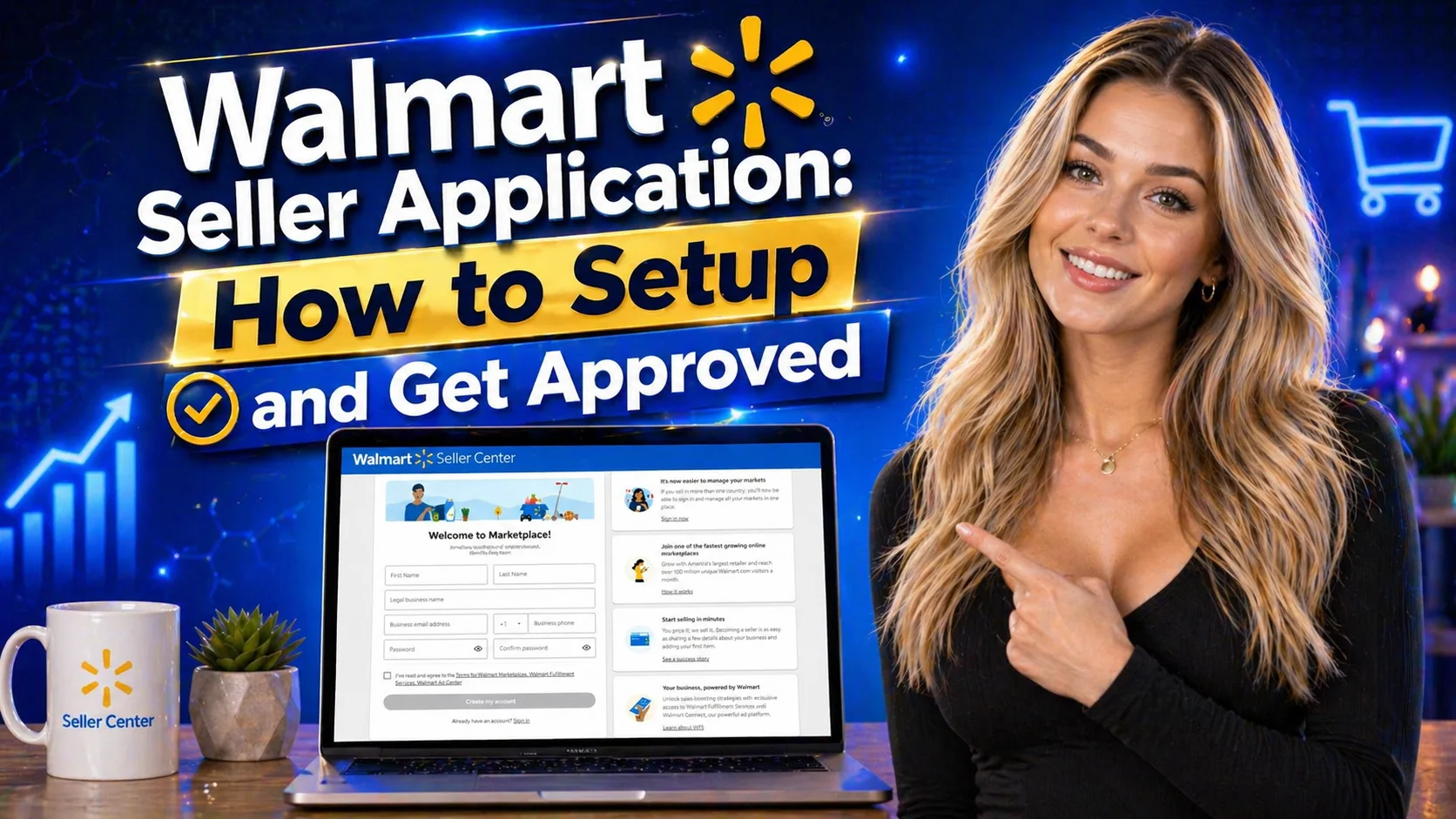
Key Takeaways
- The Walmart seller application is intentionally selective — approval rates are lower than Amazon, which means less competition and better visibility for approved sellers.
- You must have a registered U.S. business entity with an EIN. Individual sellers using Social Security Numbers are not accepted.
- Proven ecommerce sales history on Amazon, eBay, Shopify, or similar platforms is one of the strongest approval signals in your application.
- Every product you plan to sell must have GS1-verified UPC/GTIN codes — even one prohibited or non-compliant item can result in automatic denial.
- Walmart charges zero monthly subscription fees — only referral commissions of 6–15% per sale depending on your product category.
- If your application is denied, you can appeal directly through Walmart Seller Center Support — one well-prepared appeal can reverse a rejection.
- Walmart Fulfillment Services (WFS) significantly improves your search visibility and Buy Box performance once you're approved.
Table of Contents
- Is It Worth Selling on Walmart Marketplace in 2026?
- Walmart Seller Account Requirements
- How to Submit Your Walmart Seller Application — Step by Step
- How Long Does Approval Take?
- What to Do If Your Application Is Denied
- Setting Up Your Seller Center Account After Approval
- Walmart Fulfillment Services (WFS): Should You Use It?
- Understanding Walmart Seller Limits
- Tips to Strengthen Your Application Before You Submit
- Frequently Asked Questions
The Walmart seller application is one of the more misunderstood processes in eCommerce. A lot of sellers either assume it's as easy as signing up for Amazon or dismiss it entirely because they've heard approval is selective. The truth is somewhere in the middle — and understanding exactly what Walmart looks for dramatically improves your chances of getting through on the first attempt.
Walmart Marketplace attracted over 120 million unique monthly visitors in 2025, and that number continues to grow as Walmart aggressively expands its third-party seller ecosystem. Unlike Amazon, there are no monthly subscription fees for a standard seller account — just referral commissions between 6% and 15% when items actually sell. And because the Walmart seller application process is genuinely selective, the sellers who do get approved face significantly less competition than they would on Amazon for the same product categories.
This guide covers everything you need: the exact requirements, a step-by-step walkthrough of the application process, what happens when you're denied and how to appeal, setting up your account after approval, and the fulfillment and listing strategies that separate successful Walmart sellers from those who get approved and then stall. Let's get into it.
Is It Worth Selling on Walmart Marketplace in 2026?
Short answer: yes — if you have an established eCommerce business, the right products, and can meet Walmart's operational requirements. For sellers who qualify, Walmart Marketplace is one of the most underutilized sales channels available right now.
Here's why the opportunity is real.
Massive Reach, No Monthly Fees
Walmart.com is the second-largest eCommerce marketplace in the United States by traffic volume. More than 120 million unique shoppers visit the platform each month, and a significant portion of those buyers specifically come to Walmart.com because they trust the Walmart brand — they're not just comparison shopping, they're ready to buy. Unlike Amazon's $39.99/month Professional Seller plan, Walmart charges zero monthly subscription fees. You pay referral commissions only when items sell, typically between 6–15% depending on your product category.
Less Competition Than Amazon
Walmart Marketplace had approximately 150,000 active third-party sellers as of late 2025, compared to Amazon's 2+ million. That ratio — 120 million buyers, 150,000 sellers — is a dramatically better competitive environment than most Amazon categories offer. Fewer sellers competing for the same buyers means better product visibility, stronger Buy Box position, and less price pressure on your listings.
Built-In Buyer Trust
Walmart has spent decades building one of the most recognized and trusted retail brands in the world. That trust extends to Walmart.com, which means buyers approach the platform with a level of confidence that newer marketplaces spend years trying to earn. Third-party sellers on Walmart benefit directly from that halo — your products appear alongside Walmart's own inventory in a context where buyers already feel comfortable purchasing.
Omnichannel Return Advantage
Walmart operates over 4,700 stores across the United States. Customers can return products purchased from third-party Walmart Marketplace sellers at any of those locations in person. This return convenience is a genuine competitive advantage — buyers are more willing to purchase from sellers who offer easy, local returns, and Walmart's store network makes that possible at a scale no other marketplace can match.
The Trade-Offs to Know Upfront
Walmart does not accept individual sellers. You need a registered business entity with a U.S. Tax ID (EIN). You'll also need demonstrated eCommerce experience, GS1-verified UPC codes on every product you plan to list, and the fulfillment infrastructure to ship orders within 1–2 business days. If you meet those requirements, the upside is clear. If you don't yet, this guide will also help you understand what to build before you apply.
Walmart Seller Account Requirements
Walmart's application review process is straightforward once you understand exactly what they're evaluating. Every requirement below is a real filter — missing any of them is one of the most common reasons applications get rejected. Go through this list carefully before starting your walmart seller center sign up.
Registered U.S. Business Entity — A registered business entity is required. You cannot apply as an individual using a Social Security Number. You need a legal business (LLC, corporation, or equivalent) with a U.S. Tax ID (EIN) that exactly matches your IRS records. Any mismatch between your application and IRS data triggers a verification failure.
U.S. Address and U.S. Bank Account — You need a verified U.S. business address for correspondence and a U.S. bank account for payouts. International sellers incorporated outside the U.S. can apply, but will need a W-8BEN or W-8ECI tax form instead of the standard W-9.
Proven eCommerce Sales History — Walmart wants sellers who have already demonstrated operational competence. An active selling history on Amazon, eBay, Shopify, or your own website significantly increases your approval chances. Applicants with no prior eCommerce history face a much steeper uphill review.
GS1-Verified UPC/GTIN Codes on All Products — Every item you plan to sell on Walmart.com must have a GS1-issued GTIN/UPC prefix. Walmart does not accept self-assigned UPCs, recycled codes, or codes from third-party resellers. Even one product in your planned catalog with non-compliant barcodes can cause automatic denial. Verify your codes at GS1 US before applying.
Fulfillment Capability: 1–2 Business Day Handling — You must be able to ship orders within 1–2 business days from a U.S. warehouse with a U.S. return address. Walmart's buyer expectations around fast delivery are non-negotiable. If you can't meet this requirement, your application will not progress regardless of your other credentials.
Compliant Product Catalog — Your products must comply with Walmart's Prohibited Products Policy. Categories including certain chemicals, weapons, drug paraphernalia, and other restricted items result in automatic rejection. Review Walmart's policy list before deciding which products to include in your application.
Customer Service Plan — Walmart requires sellers to demonstrate readiness for post-purchase service before approval. You need a defined return policy, clear shipping methods and timelines, and a plan for handling buyer inquiries and refunds. This isn't a formality — Walmart reviews it.
In terms of fees, here's what the cost structure looks like once you're approved:
| Fee Type | Amount | When It Applies |
|---|---|---|
| Monthly Subscription | $0 | Never — no monthly platform fee |
| Referral Commission | 6% – 15% | Per sale, varies by product category |
| WFS Storage Fees | Varies by size/weight | If using Walmart Fulfillment Services |
| WFS Fulfillment Fees | Varies by size/weight | Per order fulfilled through WFS |
| Returns Processing | Varies | For WFS-fulfilled returns only |
How to Submit Your Walmart Seller Application — Step by Step
The actual walmart seller center sign up process takes 10–15 minutes once you have everything prepared. The preparation before you start is what separates clean, approved applications from ones that stall in review. Here's the complete walkthrough.
Before You Start: Documents to Have Ready
- Legal company name, registered address, and primary contact details
- U.S. Tax ID (EIN) — this must match your IRS records exactly
- W-9 form (or W-8ECI/W-8BEN for businesses incorporated outside the U.S.)
- U.S. bank account and routing number for payouts
- GS1-verified UPC/GTIN codes for your product catalog
- Sales data from existing marketplaces (Amazon, eBay, Shopify, etc.)
- Your returns policy, shipping methods, and customer service approach
- Product category information and estimated SKU count
Navigate to the Walmart Marketplace Sign-Up Page
Go to marketplace.walmart.com and click "Join Marketplace." Select your country or region of incorporation when prompted — this determines which tax forms and payout structures apply to your account.
Enter Your Company Information
Input your legal company name, registered address, and business contact details. Your EIN or TIN must match your IRS records character for character — any discrepancy, including punctuation differences in your business name, triggers a verification failure that delays review. Adding your business website is optional but recommended; it gives Walmart reviewers an additional verification signal.
Describe Your eCommerce History
This is the section where approval or rejection often gets decided. List every platform you currently sell on, your estimated monthly revenue, your primary product categories, and your planned SKU count. Be thorough and accurate — Walmart cross-references platform history during review. Selecting categories like "DIY" or "Home Improvement" where competition is manageable tends to fare better than high-scrutiny categories in initial applications.
Provide Shipping and Fulfillment Details
Specify your shipping carriers (UPS, FedEx, USPS), your warehouse location, your expected handling time, and how you plan to manage returns. Indicate whether you intend to self-fulfill orders or use Walmart Fulfillment Services. Be specific — vague shipping plans are a red flag for reviewers who need to verify you can meet 1–2 day handling requirements.
Complete and Review Your Application
Before submitting, review every field. Incomplete applications are one of the most common rejection reasons — Walmart's system flags forms with missing information and reviewers deprioritize them. Completing the application thoroughly and accurately signals that you're organized and serious. Once submitted, you'll receive an email confirmation and your review period begins.
Don't Want to Figure This Out Alone?
TechEcomm's team handles the seller application process, account setup, listing creation, and ongoing store management — a fully done for you Walmart store from day one.
How Long Does Walmart Seller Approval Take?
The Walmart seller application review typically takes one to four weeks from the date of submission. That's the official range, and in practice most sellers either hear back within 10 days or don't hear anything for several weeks — very rarely do applications resolve outside that window.
What happens during that review period:
- Walmart's team verifies that your company name, address, and EIN match IRS records precisely
- They evaluate your eCommerce track record — sales platforms, revenue history, and performance metrics
- They confirm you can realistically meet 1–2 day shipping requirements from a U.S. location
- They check your planned product catalog against the Prohibited Products Policy
- They may request additional documentation — passports, business registration certificates, or supplementary tax records for sellers incorporated outside the U.S.
That last point matters more than most applicants realize. Check your email daily during the review period. Walmart's team does occasionally send requests for additional information, and slow responses extend your timeline significantly. A request that sits unanswered for a week can push a two-week review into a six-week one.
Once approved, you'll receive a notification by email and inside Seller Center confirming your acceptance, your initial selling limits, and instructions for completing your account setup.
What to Do If Your Walmart Seller Application Is Denied
A rejection from Walmart is not a permanent door closing — it's a specific problem that can be diagnosed, addressed, and appealed. Most denials happen for identifiable, fixable reasons. Here's how to understand what went wrong and what to do about it.
The Most Common Reasons for Rejection
- Tax information mismatch — Your EIN and business name on the application don't exactly match the IRS record for that EIN. Even minor formatting differences (LLC vs. L.L.C., abbreviations, punctuation) cause this.
- Insufficient eCommerce history — No meaningful sales track record on other platforms, or sales history that Walmart reviewers can't verify through the information you provided.
- Prohibited products in your catalog — Even one non-compliant item in your planned SKU list can trigger denial. Walmart's policy review catches these automatically.
- Non-GS1 UPC codes — Using UPCs purchased from third-party code resellers rather than directly from GS1 is a common and avoidable mistake.
- Inability to meet shipping requirements — No verifiable U.S. warehouse address, or shipping timelines that don't support 1–2 day handling.
- Poor seller ratings on other platforms — If your Amazon or eBay feedback metrics are significantly below average, Walmart's review process can flag this as a risk signal.
- Prices set significantly above market — Walmart reviews whether your planned pricing is competitive with the broader market. Pricing that appears inflated relative to comparable products raises red flags.
- Incomplete application — Missing fields, vague shipping descriptions, or skipped sections that reviewers interpret as lack of preparation.
How to Appeal a Denial
If your Walmart seller application is denied, you can appeal by creating a support case through the Help button in Seller Center's menu bar. Walmart's support team will review your appeal and contact you if they need additional information.
A strong appeal is specific, not general. Don't just ask for reconsideration — identify the exact reason for denial (the rejection notice sometimes specifies this) and address it directly with supporting documentation. If the issue was a tax record mismatch, provide corrected information. If it was insufficient sales history, provide platform data you didn't include in the original application. If it was a prohibited product, remove that item from your planned catalog and clearly state you've done so.
One important note: Walmart's Seller Support response to your appeal is considered a final decision. This makes your first appeal more important than a second attempt at applying — take the time to make it comprehensive and specific before submitting.
If the appeal is unsuccessful, build more sales history on Amazon or your own Shopify store, resolve any performance metric issues on existing platforms, and reapply after establishing a stronger track record. Many sellers who were initially denied have been approved on a subsequent application after 6–12 months of additional platform history.
Setting Up Your Seller Center Account After Approval
Getting approved is a milestone — but your Walmart seller account isn't active yet. There are several setup steps to complete inside Seller Center before your listings go live and you can start generating sales.
Sign the Retailer Agreement
The first thing you'll do after logging in to Seller Center is electronically sign Walmart's Retailer Agreement. Read it completely before signing. It outlines your obligations as a seller, Walmart's platform policies, commission structures, and grounds for account suspension or termination. You must acknowledge and agree to all policies — and Walmart does enforce them.
Complete Your Company Profile and Tax Setup
Verify your company information, confirm your payment details, and upload your W-9 (or W-8ECI/W-8BEN for international entities). Double-check your banking information — errors here delay your first payout. Walmart releases payments on a regular schedule once your account is active and generating sales.
Create Your Product Listings
You can upload products manually through Seller Center or in bulk using a CSV file. Every item must have a verified GS1 UPC code and must comply with Walmart's listing standards. Walmart provides a Listing Quality Dashboard inside Seller Center that scores each listing and gives specific recommendations for improving content, pricing, and completeness — use it from the start rather than treating it as an optional tool.
Product titles, descriptions, and attributes on Walmart.com follow specific formatting guidelines. Title length, keyword placement, and attribute completeness all affect your search ranking inside the platform. Take the time to optimize listings from the beginning rather than fixing them after they've underperformed.
Effective Walmart inventory management from day one — knowing when to reorder, what quantities to maintain, and how to avoid out-of-stock listings that damage your seller metrics — is one of the most important operational habits you can build as a new Walmart seller.
Configure Shipping and Return Settings
Define your shipping regions, carrier options, cost structure, and estimated delivery windows. Set up your return policy in compliance with Walmart's marketplace standards. Returns at Walmart are a meaningful buyer touchpoint — a clear, fair policy reduces friction for buyers and protects your seller rating.
Go Live
Once your listings are created and all account setup steps are complete, Walmart reviews your account one final time before activation. This review typically takes 24–72 hours. Once cleared, your store goes live, your listings become visible on Walmart.com, and you can begin fulfilling orders.
Got Approved? Let Us Build the Rest.
Setting up a Walmart store properly takes time and expertise. TechEcomm's walmart automation services handle listing optimization, inventory sync, repricing, and order management — so your store runs profitably from day one.
Walmart Fulfillment Services (WFS): Should You Use It?
Walmart Fulfillment Services is Walmart's equivalent of Amazon FBA — you send inventory to Walmart's fulfillment centers and they handle storage, picking, packing, and shipping on your behalf. For sellers serious about competing effectively on the platform, WFS is worth understanding before you go live.
What WFS Does for Your Listings
Items fulfilled through WFS earn the "Fulfilled by Walmart" badge, which is a significant trust signal for buyers and a direct ranking factor in Walmart's search algorithm. Walmart prioritizes WFS items in search results, which means your listings get more organic visibility than self-fulfilled equivalents with identical content and pricing. The practical impact for new sellers is meaningful — in competitive categories, WFS status can be the difference between your listing appearing on page one versus page three.
WFS also enables two-day delivery across Walmart's fulfillment network. Two-day delivery is a filter that a growing segment of Walmart shoppers apply before browsing results — if your items aren't eligible for it, you're invisible to those buyers by default.
Cost Comparison: WFS vs. Self-Fulfillment
WFS fees vary by product size and weight, but Walmart has positioned them to be approximately 15% lower than comparable FBA rates. For sellers already using Amazon FBA, the fee structure and operational model are familiar. For new sellers, the key calculation is whether the margin impact of WFS fees is offset by the increase in sales volume from better search placement and the two-day delivery badge — for most product categories, it is.
Returns Through WFS
Products fulfilled through WFS can be returned online or in person at any of Walmart's 4,700+ U.S. store locations. This is a substantial convenience advantage for buyers compared to competitors who only offer mail-in returns. Easier returns increase buyer confidence at the point of purchase and reduce the friction that sometimes stops buyers from choosing a marketplace product over a first-party Walmart item.
When Self-Fulfillment Makes More Sense
WFS makes the most sense for lightweight, standard-size products with consistent demand and healthy margins. If you're selling low-volume, oversized, or very heavy items, or if you already have an efficient self-fulfillment operation with two-day shipping capability, self-fulfillment can be more cost-effective — at least until your volume grows enough for WFS economics to shift in your favor.
You can always start with self-fulfillment and migrate products to WFS as your Walmart sales volume grows and you can better model the fee tradeoffs with real data.
Understanding Walmart Seller Limits
Walmart doesn't give newly approved sellers unlimited access from day one. Understanding how the limit system works — and how to navigate it strategically — prevents the surprises that catch new sellers off guard.
How Limits Are Assigned
After your Walmart seller account is activated, the platform assigns initial selling limits based on your sales history, fulfillment performance data, and your application information. You'll receive notification of your specific limits both in your approval email and inside Seller Center. These limits cover both the number of items you can list and your overall selling activity level.
What Happens When You Hit Your Limit
If your selling activity reaches your assigned limit, Walmart pauses your account temporarily while the platform evaluates whether your fulfillment infrastructure and performance metrics can support a higher volume. This isn't a punitive action — it's a quality control checkpoint. That said, you want to avoid hitting it unexpectedly, which means monitoring your limit status inside Seller Center proactively.
How to Request an Increase
You can formally request a limit increase once your account is active and in good standing. Walmart evaluates these requests based on your fulfilled order volume, your on-time shipment rate, your customer feedback scores, and your return and cancellation rates. The path to higher limits is consistent performance, not aggressive requests. Build a track record of reliable fulfillment across your initial inventory, and limit increases follow naturally.
Tips to Strengthen Your Walmart Seller Application Before You Submit
Beyond meeting the baseline requirements, there are specific things you can do before submitting your walmart seller application to improve your approval odds and reduce the likelihood of delays or denial.
Verify Your EIN Before Starting
Your EIN and business name must match IRS records exactly — including capitalization, abbreviations, and punctuation. Before starting your application, verify your EIN information using the IRS's online EIN confirmation tools or by referencing your original IRS EIN assignment letter. A mismatch is one of the most common causes of verification failure and review delays.
Have Your GS1 Barcodes Ready and Verified
Purchase GS1-issued UPC codes directly from GS1 US rather than from third-party barcode resellers. Walmart's catalog system checks UPC prefix ownership, and codes not registered directly under your company's GS1 prefix will fail verification. Have the codes ready before you start the application, not as an afterthought after approval.
Build Your eCommerce Track Record First
If you're new to selling online and don't have established marketplace history, the most effective preparation for a Walmart seller application is spending 3–6 months building a legitimate track record on Amazon or eBay. Even modest but consistent sales history with positive feedback scores is significantly more compelling to Walmart reviewers than a well-written description of what you plan to do.
Use a Professional Domain Email
Applying with an email address on your business domain (yourname@yourbusiness.com) rather than a Gmail or other free provider address adds a small but real credibility signal during review. It's an easy change that aligns with all the other signals Walmart uses to verify that you're operating a real, established business.
Clean Up Performance Metrics on Existing Platforms
If your Amazon, eBay, or Shopify seller metrics show patterns of late shipments, high cancellation rates, or unresolved negative feedback, address those issues before applying to Walmart. Reviewers look at your overall seller reputation, and poor metrics on existing platforms are a legitimate reason for denial. Spend the time to resolve outstanding issues and improve your numbers before submitting.
Understand Walmart's Private Label Opportunity
Sellers considering long-term growth on Walmart should understand the platform's ecosystem of owned brands and how Walmart private label brands operate — both as context for category-level competition and as a potential opportunity for sellers building their own branded product lines on the platform.
Know the Platform Before Selling on It
Walmart has several unique programs and features that affect seller strategy. Understanding how Walmart's OPD (Online Pickup & Delivery) program works, how promotional events are structured, and how Walmart's creator and influencer ecosystem functions gives you a more complete picture of the platform and makes your application's business plan more credible and specific.
Frequently Asked Questions
The Walmart Seller Application Is Selective for a Reason
Walmart's approval process is more demanding than most marketplaces, and that's exactly what makes it valuable. The sellers who go through it end up in a marketplace with 120 million monthly buyers and a fraction of the competition they'd face on Amazon. The selectivity is the opportunity.
The requirements are clear and achievable: a registered U.S. business entity, verified GS1 product codes, proven eCommerce history, and the operational infrastructure to ship orders quickly and handle customer service professionally. None of these are unreasonable asks for a seller who's genuinely ready to operate at Walmart's standards.
Go through the checklist in this guide before starting your application. Have your documents ready, verify your tax information matches IRS records exactly, and complete every section of the application thoroughly. Sellers who prepare properly and apply with complete, accurate information get approved. Those who rush through it or skip sections end up in review delays or face avoidable denials.
The opportunity at Walmart Marketplace in 2026 is real. The sellers who treat it seriously from the start are the ones who end up building stores that grow consistently on a platform most of their competitors haven't bothered to figure out yet.
Ready to Launch Your Walmart Store?
TechEcomm's walmart automation services take care of everything after approval — listings, pricing, inventory, orders, and growth — so your store runs efficiently without consuming your time.